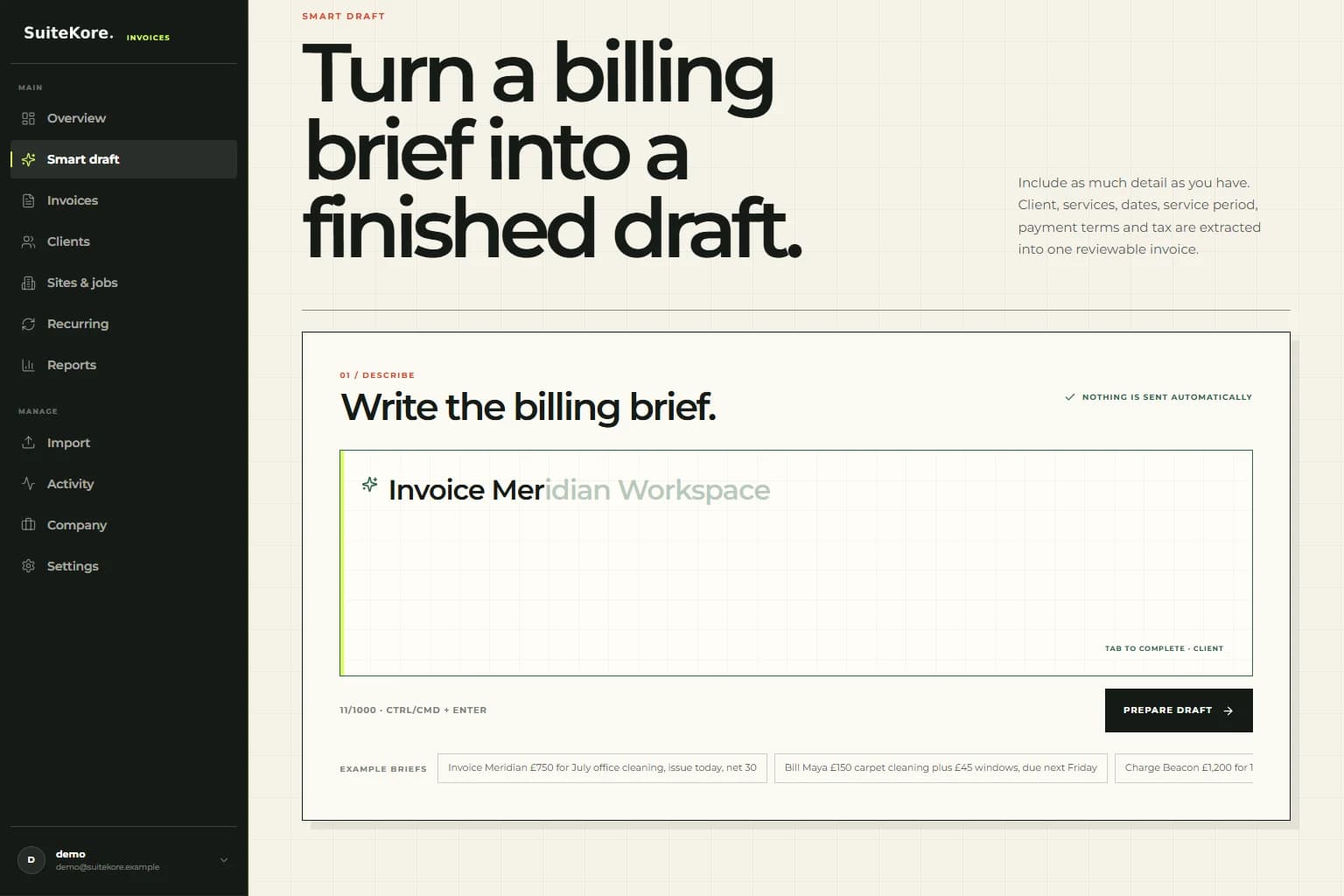
Creating an invoice should not begin with a blank form and ten minutes of copying information you already know. Suitekore's Smart draft lets you describe the bill in one sentence, then turns that brief into a complete invoice draft you can check before anything is created or sent.
A request such as “Invoice Meridian £750 for property maintenance, service period 1–31 July, issue 5 August, net 30 and add 20% VAT” contains nearly everything an invoice needs. Smart draft identifies those details, matches the saved client, calculates the totals, and presents the result in a clear review. It is an AI invoice generator built around real billing work rather than a generic chatbot window.
Create a complete invoice from one sentence with Smart draft
A 30-second Suitekore walkthrough showing saved-client autocomplete, plain-English invoice details, structured review, and draft creation.
Why creating an invoice from text is faster
Traditional invoice forms make you work in the software's order. Select a client, choose a site, add a line, enter an amount, open a date picker, calculate a due date, choose tax, and repeat. Natural-language invoicing reverses that relationship. You explain the job in the order it comes to mind, while the software organises the data into the right fields.
The speed gain is especially useful when you invoice between jobs, at the end of a long day, or from notes sent by somebody else. A contractor can mention the client site and service period. A consultant can describe a project and fee. Maintenance, landscaping, facilities, trades, and agency teams can use the same sentence-first workflow.
How Suitekore Smart draft works
Open Smart draft from the main dashboard and begin typing the client's name. Suitekore suggests matching saved information directly inside the text box. Press Tab to accept the faded completion for the client, site or job, regular amount, and familiar service description. The suggestion stays in the writing flow instead of opening a cluttered search panel.
Then add any details that make this invoice different:
- One or several services with separate prices.
- An issue date, specific due date, or payment term such as net 30.
- A service period such as “1–31 July” or “last month”.
- VAT or another tax rate, whether added or included.
- The correct saved site when one client has several locations.
Select Prepare draft and the AI converts the brief into structured invoice data. If an essential detail is genuinely unclear, it can ask for clarification instead of inventing an answer.
What the AI invoice generator understands
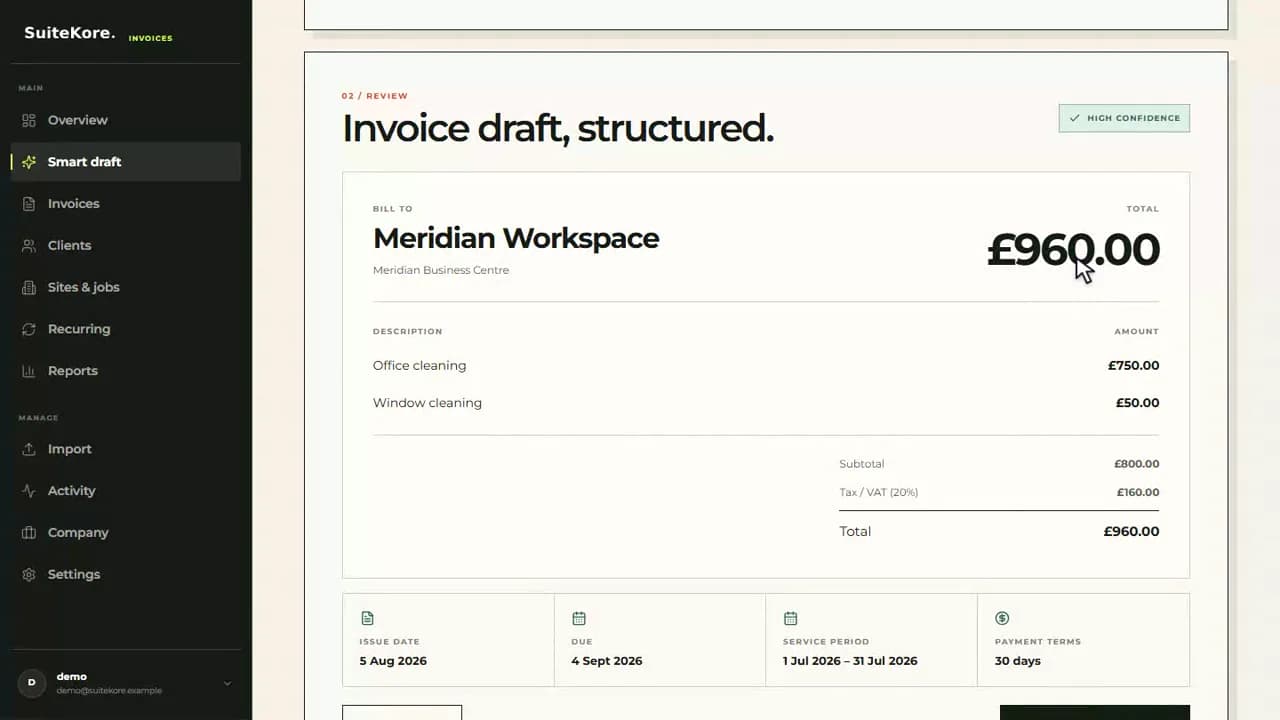
Smart draft understands more than a client and a single price. It can separate multiple line items, resolve relative dates such as “today” or “next Friday”, calculate a due date from payment terms, and recognise a service period independently from the invoice issue date. It also distinguishes tax added on top from an amount that already includes tax.
Saved business data makes the result more useful. A partial client name can match an existing record, while a recognised site can supply its regular amount and service. That means less retyping without allowing the AI to silently create duplicate customers. You keep the organised client and site structure used by Suitekore's recurring invoice workflow.
Why the review step still matters
Good invoice automation should remove repetitive entry, not remove your control. Smart draft shows the matched client, site, every line item, subtotal, VAT, total, issue date, due date, service period, and payment terms before the invoice exists. Nothing is emailed automatically. You can edit the sentence and prepare it again whenever something looks wrong.
Once the review is correct, select Create invoice draft. The result joins the same invoice list, PDF, payment tracking, and reminder workflow as any other Suitekore invoice. This is where AI is most valuable: at the start of the process, turning an informal instruction into reliable structure while keeping the final decision with you.
A faster path from completed work to payment
Creating invoices promptly gives clients a clearer record of the work and starts the payment clock sooner. Smart draft shortens the gap between “the job is done” and “the invoice is ready” without forcing every business into the same template. It works for a contractor billing regular sites, a consultant charging for a project, or any service business with repeat clients and familiar prices.
For the broader workflow, explore our recurring service workflows or learn how to get clients to pay invoices on time. You can also watch the complete Suitekore product demo or compare plans and trial options.