Invoice software for facilities maintenance companies should connect each customer, managed location, recurring charge and payment status. That structure suits planned maintenance, inspections and recurring service agreements, the facilities and maintenance work named on Suitekore’s current industries page. The Suitekore features for recurring service work show how clients, sites or jobs, invoice schedules, PDFs, email and payment tracking fit together. This guide turns those verified capabilities into a practical UK billing routine, while keeping contract checks and invoice approval with your team.
Organise every managed site before billing begins
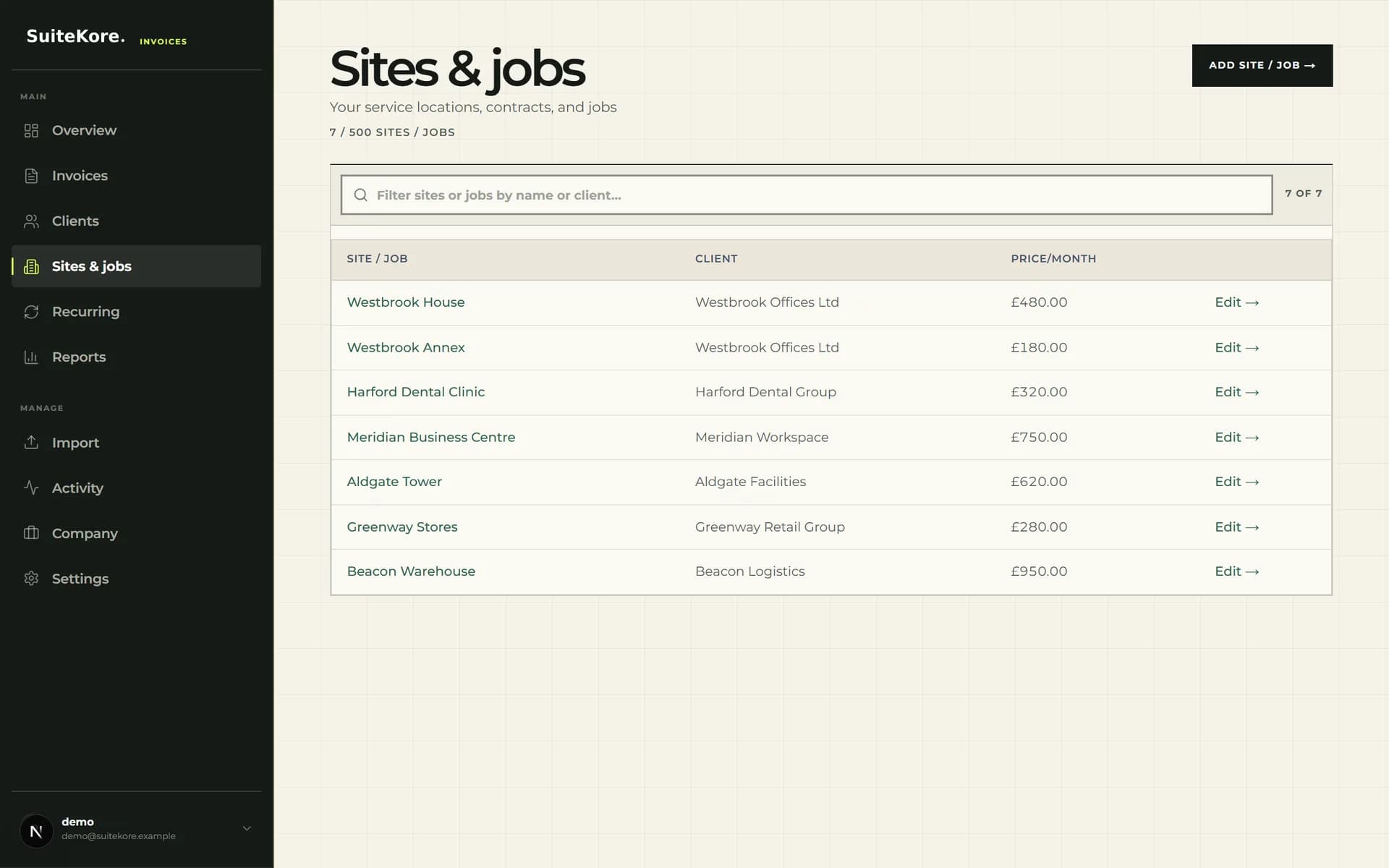
Start with a client record containing the correct billing name, email and address, then add each maintained location as its own site or job. Suitekore’s current interface links locations to clients and displays a monthly price. For a customer with several premises, separate site records help staff identify which location supports each recurring charge.
Use the saved record as an operational reference, not as proof that an amount remains valid. Before creating a schedule, compare the site name, billing contact, agreed charge and service period with the current agreement. Keep reactive repairs separate when they fall outside the recurring scope.
Choose features around the maintenance billing cycle
A facilities workflow needs more than a PDF maker. The current product catalogue supports clients, sites or jobs, recurring invoices, branded PDFs, email sending, reminder actions and payment tracking. Compare those functions with the way your business approves planned work, handles exceptions and records receipts.
- Store each service location against the correct client and billing contact.
- Keep recurring amounts and the next invoice date visible for review.
- Preview the invoice PDF before using email or download actions.
- Record payment date, method and reference when funds arrive.
Build recurring schedules from verified contract details
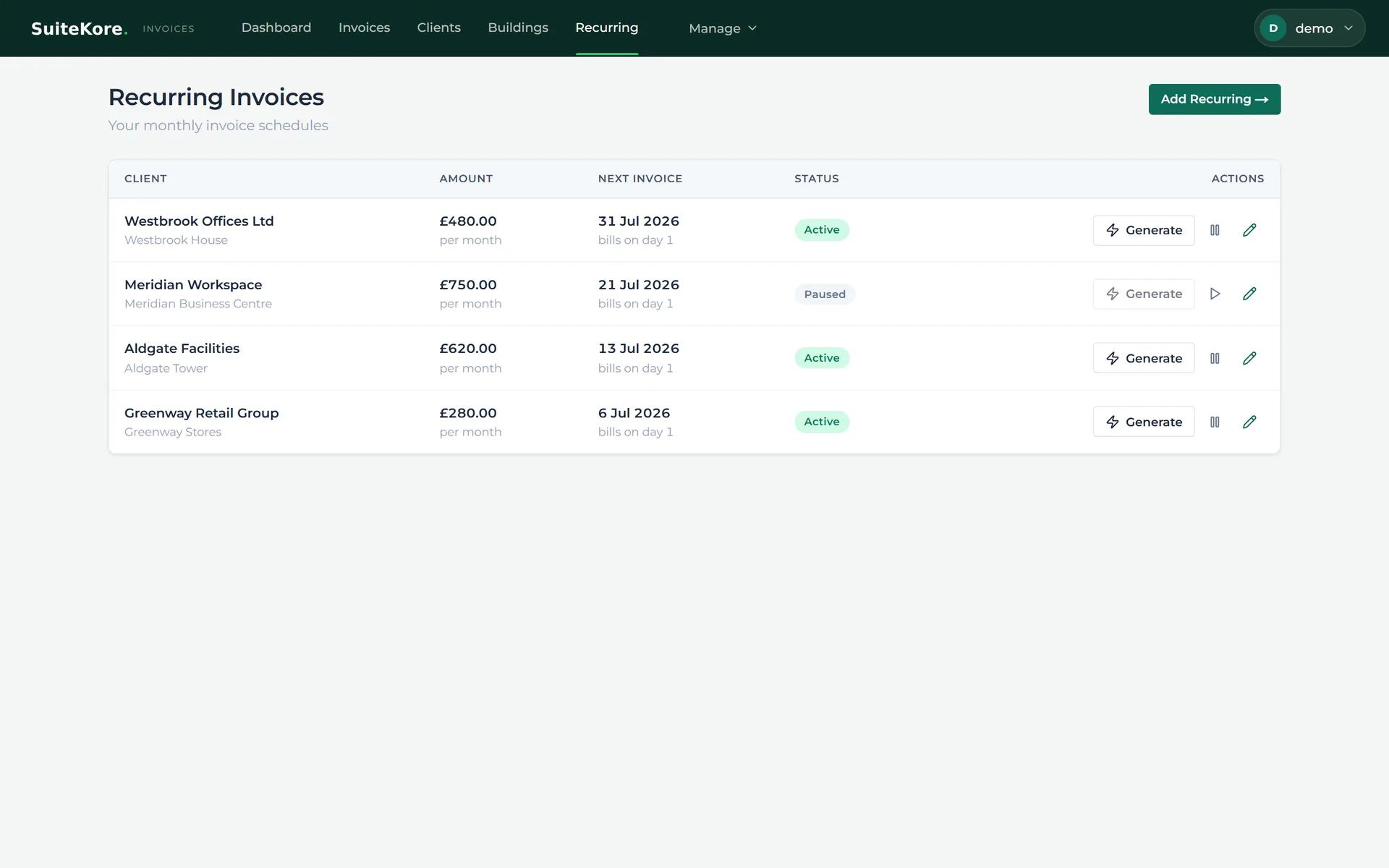
For a regular maintenance agreement, create the client and site first, then build the recurring schedule from the approved details. The current recurring screen shows client, location, monthly amount, next invoice date, delivery method and active or paused status. It also offers generate, pause and edit controls.
Recurring generation reduces repeated entry, but it should not remove review. Check the draft against variations, service changes, pauses and contract dates before sending. The recurring payments guide for small businesses explains the wider scheduling approach.
Keep planned charges and reactive work understandable
Facilities teams often need to distinguish an agreed maintenance charge from a separate repair or call-out. Use specific line descriptions, the correct site or job and the relevant service period so the recipient can understand the document. Do not alter a recurring amount merely to squeeze unrelated work into the monthly cycle.
Suitekore’s paid-plan catalogue includes invoices, pro formas, delivery notes and credit notes. Select the document that matches the underlying transaction, and keep supporting records aligned. Invoice software can organise billing information, but your business remains responsible for contract interpretation, VAT treatment and accounting decisions.
Review, send and close the payment loop
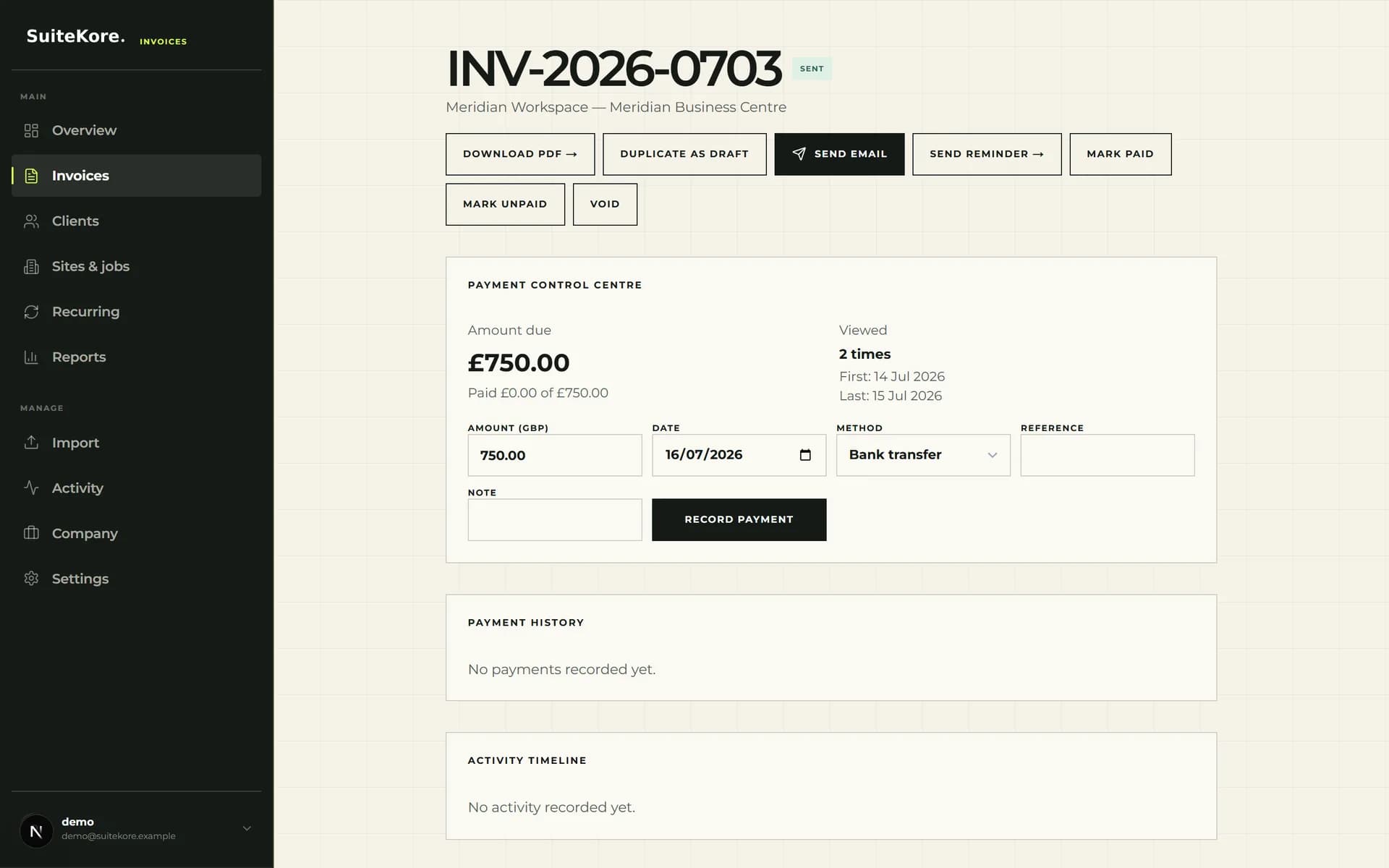
The current invoice detail screen groups PDF download, duplicate, email, reminder, status and payment controls. Before sending, confirm the client, site, line items, dates, terms, VAT and total. After approval, send the document to the saved contact and keep its status current.
When a balance is late, use a consistent process based on your terms and records. The late invoice payment follow-up guide provides a practical sequence. Once money clears, record the payment date, method, reference and any useful note so the invoice history reflects what happened.
- Check paused schedules and upcoming invoice dates.
- Review drafts for scope, period, terms and totals.
- Follow up overdue balances using a consistent record.
- Record received payments against the correct invoice.
Test the workflow against your real maintenance work
Before subscribing, compare the current Suitekore plans and limits with your numbers of clients, sites or jobs, users and monthly documents. Core, Growth and Agency are the current paid plans, with different volume limits and included capabilities. Use representative planned-maintenance, inspection and reactive-work examples during evaluation.
Run each example from client and site setup through draft review, PDF, sending and payment recording. Confirm that staff can find the right location, recognise exceptions and maintain an accurate status. This evidence-based test is more useful than choosing from a feature list alone, and it exposes any process that still needs a separate specialist system.