
Commercial cleaning contract invoicing works best as a monthly control routine, not a rush to copy last month’s document. The current Suitekore invoice features show how saved sites, schedules and invoice records can support that process. The aim is to keep each agreed charge, service period, extra job and payment status clear from review through to receipt.
Start with a contract register, not last month’s PDF
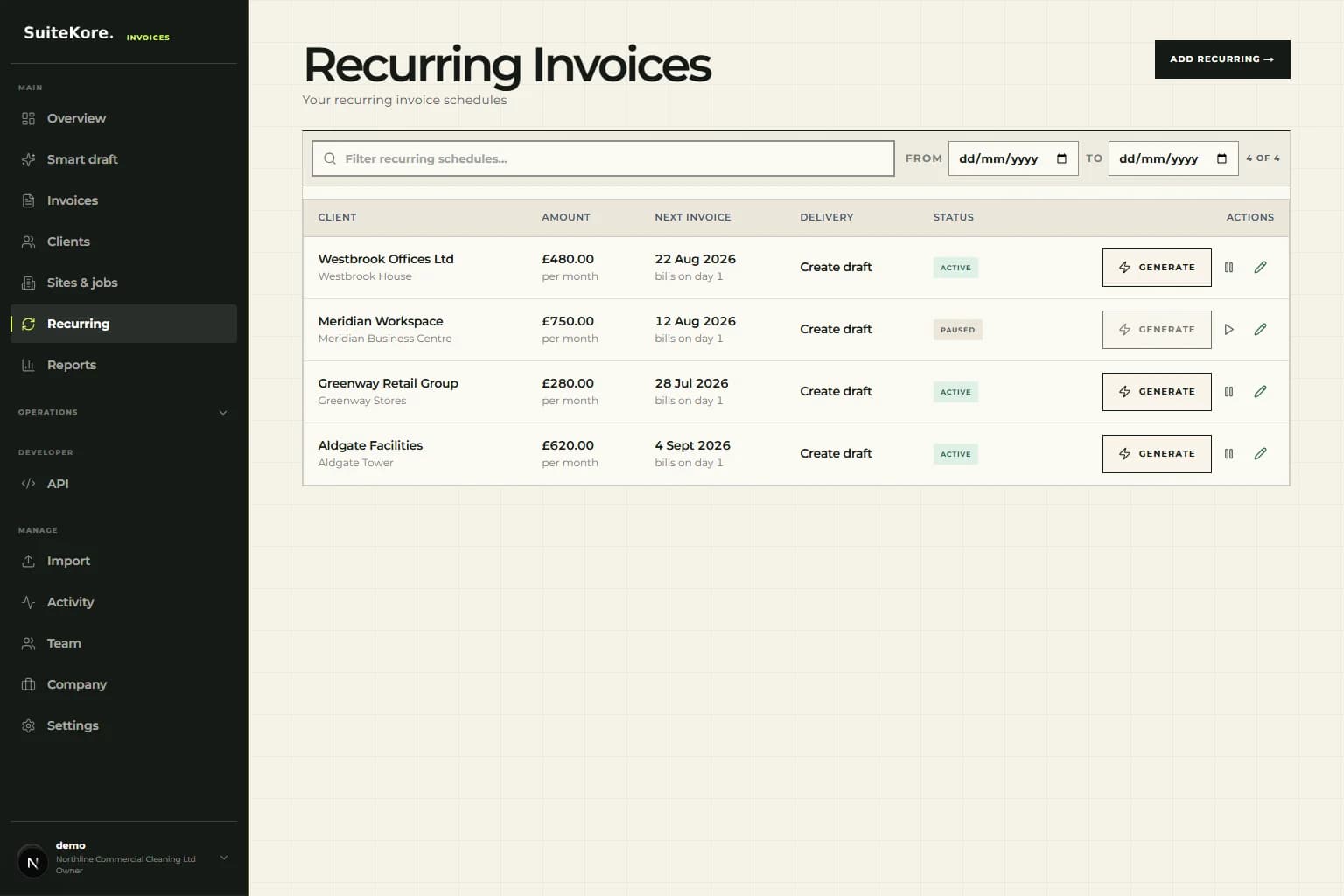
For every recurring site, keep one dependable record of the billing client, service address, agreed monthly charge, billing contact, payment terms and normal invoice date. That record is the source for the next bill. A copied PDF is only an output: it does not reliably show whether the underlying contract, contact or charge changed. The recurring payments guide explains the wider scheduling principle for repeat work.
Review the register before the billing run. Note new sites, closed locations, price changes, paused services and temporary access arrangements. This short control step prevents an old amount or obsolete site from rolling forward simply because it appeared on the previous invoice.
- Client and billing contact
- Site or service location
- Recurring charge and service period
- Issue date, due date and terms
- Active, paused or ended status
Separate the contract charge from one-off cleaning work
A monthly contract may cover routine office cleaning while deep cleans, consumables, carpet treatment or emergency call-outs are billed separately. Keep the fixed charge recognisable and add extra work as distinct, specific lines. The customer can then match the invoice to the contract and see why the total differs from a normal month.
Do not quietly change the recurring amount to absorb an isolated job. That makes the next month harder to check and weakens the audit trail. If an extra needs approval, retain the customer’s written agreement with the job record before it reaches the invoice.
Run a short pre-send check for every site
Generate the month’s drafts from the current schedules, then review exceptions rather than retyping every invoice. Check the service period, site, purchase-order reference where required, line descriptions, VAT treatment, amount and due date. Preview the PDF as the client will receive it. The current product demo shows the present product flow before you test it with your own process.
Use a simple exception list for anything that cannot be sent: a missing purchase order, disputed extra, changed billing email or incomplete service record. Resolve those items deliberately instead of holding back the entire billing run.
- Confirm the correct client and site
- Check the recurring charge against the contract
- Add approved extras as separate lines
- Verify dates, terms, tax and references
- Preview before sending
Give every invoice a visible next action
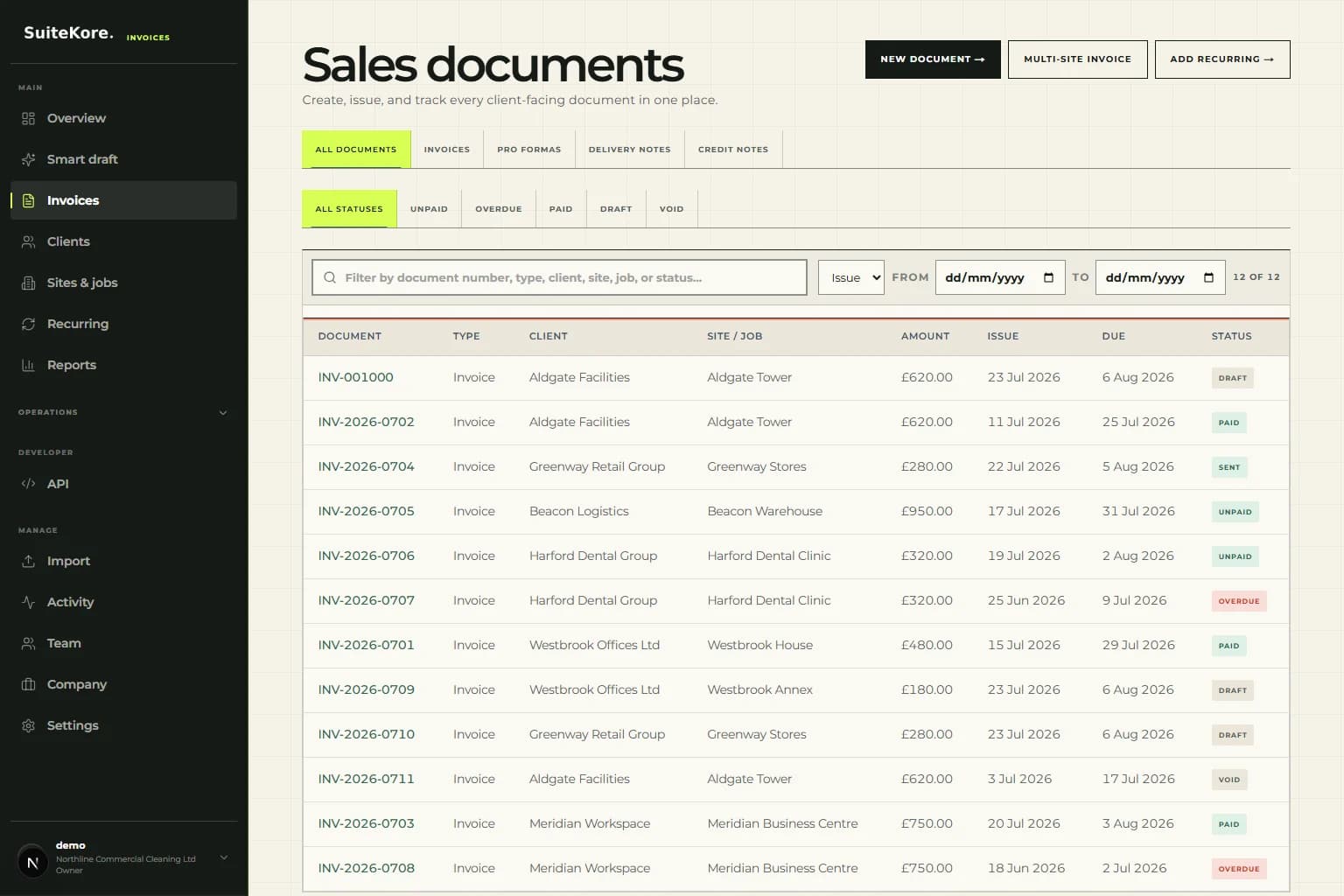
Once invoices are sent, the work moves from document creation to receivables control. Keep drafts, sent invoices, overdue balances and recorded payments distinguishable. A sent invoice is not finished merely because the PDF left the office. A defined invoice status workflow keeps those next actions consistent.
Review open balances at a fixed point each week. Check whether the due date passed, confirm delivery details before chasing, and send a factual reminder when appropriate. When money arrives, record it against the correct invoice so the remaining balance and payment history stay useful.
Make the site-to-office handover routine
Billing errors often begin before the invoice is drafted. Give supervisors a consistent way to report a started or ended contract, a missed visit, an agreed credit and extra work. The office should receive the site, date, short description, price or approval reference and the person who confirmed it.
Set a cut-off for information that belongs in the current billing run. Anything arriving later should be reviewed for the next invoice or issued separately, rather than inserted hastily. A short handover checklist keeps operational knowledge from remaining in messages, notebooks or one person’s memory.
Measure exceptions, not typing speed
The best sign of a healthy cleaning billing run is not how quickly someone can copy invoices. Track how many drafts needed correction, how many extras lacked approval, how many invoices missed the planned issue date and how many payments remain unrecorded. Those exceptions reveal where the process needs attention.
This supporting workflow sits alongside the invoice software for cleaners guide. Together they cover the search question and the operational answer: use a stable site record, a controlled recurring schedule, human review and a clear path from sent invoice to recorded payment.