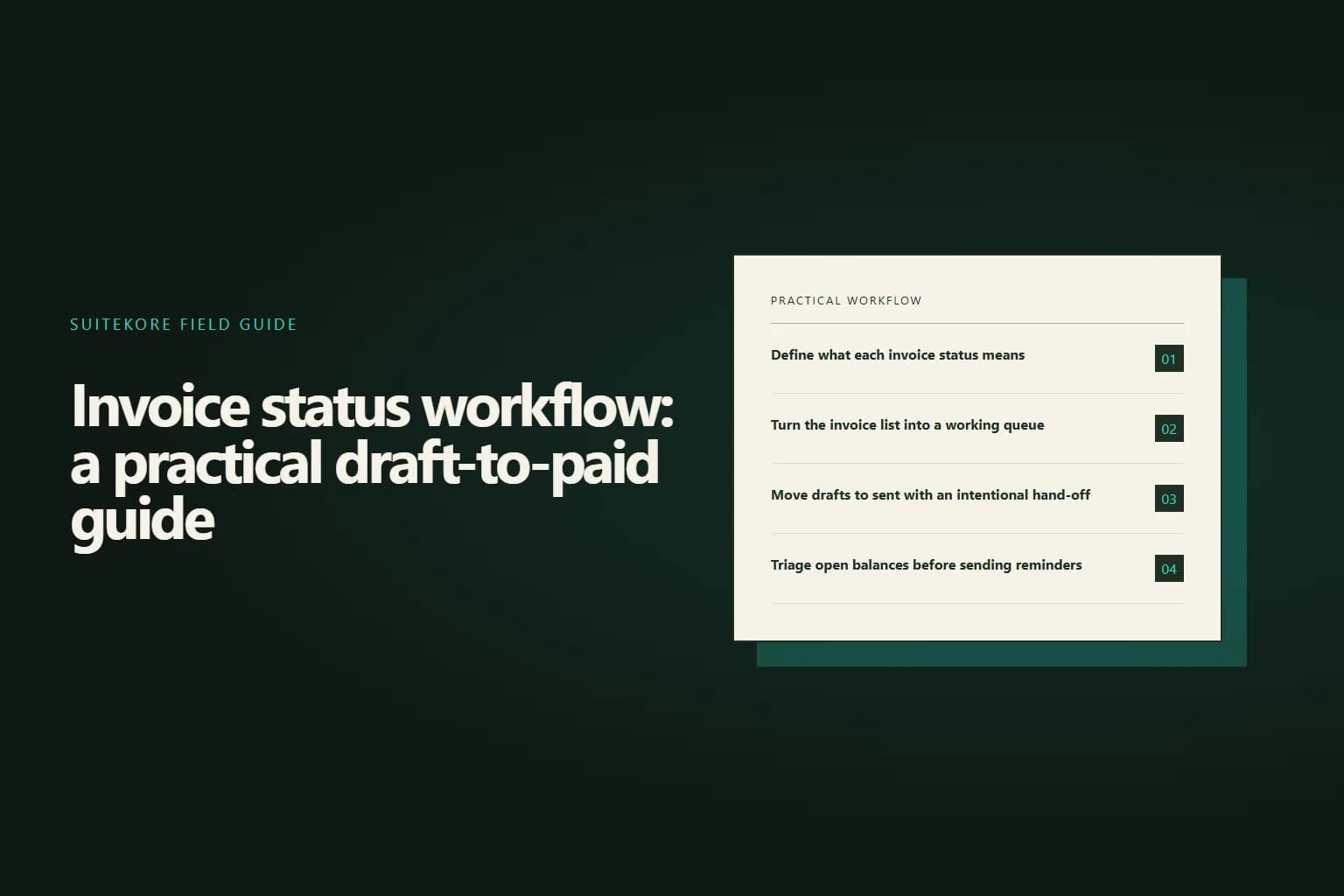
An invoice status workflow gives every document a clear next action, from finishing a draft to recording payment. It separates work that needs sending, money not yet due, balances requiring follow-up and invoices that are complete. Suitekore keeps these states visible in the invoice list, detail view and overview dashboard. Check the current Suitekore invoice features while defining the operating rules around them.
Define what each invoice status means
Give every state one shared meaning. Draft means editable and not issued. Sent means issued, while unpaid keeps an open balance visible. Overdue identifies an open invoice past its due date. Paid closes the balance, and void removes a cancelled document from active collection without pretending it was paid.
Assign the next step to a person or role. A draft needs completion and issue; an open invoice needs monitoring; an overdue balance needs appropriate follow-up; a payment needs recording. If your spreadsheet mixes these tasks in one column, the signs you have outgrown spreadsheet invoicing can help identify wider process gaps.
Turn the invoice list into a working queue
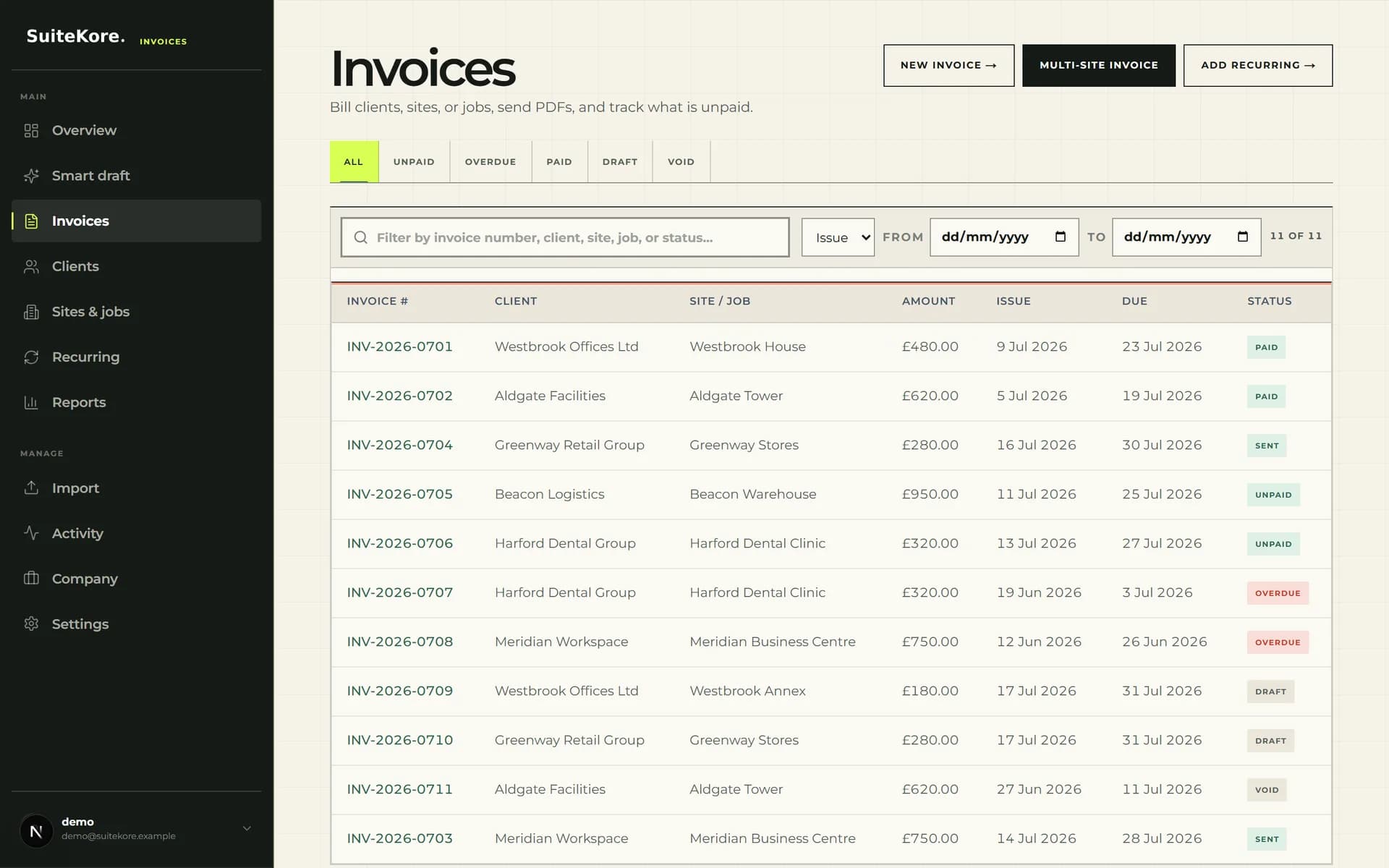
Use the invoice list as a queue, not an archive. Suitekore provides views for unpaid, overdue, paid, draft and void documents, plus all statuses. The table keeps document number, type, client, site or job, amount, issue date, due date and status together, so you can prioritise without opening every record.
Begin with drafts, because they have not reached the client. Then check overdue documents, followed by other unpaid invoices approaching their due dates. Search by document number, type, client, site, job or status when investigating a query. Keep paid and void records for reference, outside the active follow-up queue.
Move drafts to sent with an intentional hand-off
A draft should leave the queue only when its client, site or job, line items, issue date, due date and terms match the work billed. Suitekore allows draft invoices to be edited and their PDF regenerated from saved details. Send by email when a billing address is available, or mark the invoice as sent if it was issued outside Suitekore.
That final check is also the moment to confirm the document carries everything a UK invoice needs to include, because a missing invoice number, supply date or VAT detail gives a client a reason to hold payment.
Treat sending as a hand-off, not the end of the process. The detail screen keeps the status and available actions together, including PDF download and duplication as a new draft. After issue, the record enters receivables control, so payment follow-up needs a clear owner and checking frequency.
Triage open balances before sending reminders
Do not chase every open invoice identically. Compare its due date, status and viewing information first. A sent invoice not yet viewed may need a delivery or contact check. A viewed but unpaid invoice may need a short reminder near or after its due date. Suitekore displays qualifying sent or unpaid invoices as overdue after the due date passes.
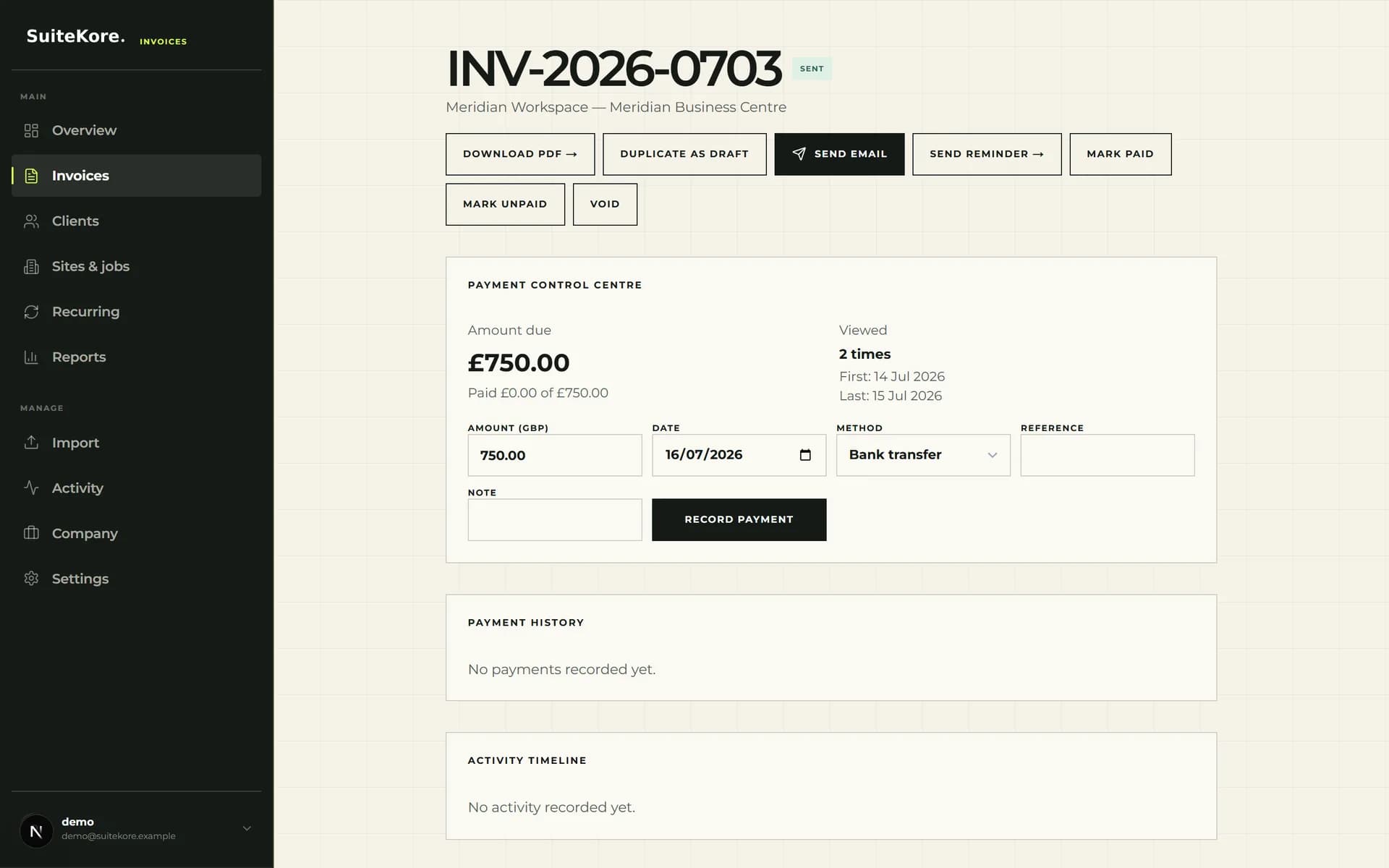
Open the invoice before acting. Its detail view can show amount due, amount paid, viewing count, and first and last view dates. Reminder actions are available for eligible open invoices with a client email. For wording and escalation choices, use these practical late invoice payment steps.
Record payments against the correct invoice
A bank notification is not the final step. Record the receipt against the matching invoice so its balance and payment history reflect events. Suitekore accepts a manual payment amount, date, method, reference and note. Methods include bank transfer, cash, cheque and other, preserving useful context for later checks.
Use the exact amount received. A full receipt can move the invoice to paid, while a partial receipt leaves the remaining balance open. The detail view retains payment history, and a manually recorded successful payment can be reversed with a reason if needed. This preserves more evidence than changing status alone.
Run a short weekly receivables control routine
Make the workflow repeatable. The Suitekore overview shows outstanding and overdue totals, paid value for the current month and draft count. It also surfaces viewed-but-unpaid and sent-but-not-viewed signals, highest outstanding clients and recently paid invoices. Use these signals to choose a queue, then open the records before contacting anyone.
Split the outstanding total by age before you start, because an aged debtors report turns one figure into a queue: what has moved into a worse bucket this week, what is slipping and still cheap to recover, and what now needs a decision rather than another reminder.
A practical weekly routine is simple and consistent:
- Clear or assign every draft that is waiting to be issued.
- Review overdue invoices and check due dates, view signals and previous activity.
- Record receipts against the correct invoices, including references and payment methods.
- Recheck outstanding totals and leave notes or ownership clear for unresolved items.
- When evaluating whether the workflow fits your volume and team, compare current Suitekore pricing plans against the clients, sites or jobs, Smart draft allowances, team limits and reporting features listed for each plan.
A status workflow is one stage of a larger sequence. The complete guide to invoicing for UK service businesses covers the stages either side of it, from agreeing a price that survives the job to the statutory position once an invoice goes properly overdue.
Two states deserve their own reading. Void keeps a number visible with a reason attached rather than deleting it, which is why the numbering series stays unbroken. Correcting an invoice that was already sent is a separate action again, handled by raising a linked credit note.
Once more than one person can move invoices between these states, deciding who is allowed to do which is worth settling before it matters, as set out in invoice permissions for teams.