
Window cleaning is a volume business. One round can cover shopfronts, offices, schools and houses, each on its own frequency and each at a modest price. The billing problem is rarely complexity. It is repetition, spread across a lot of small invoices. This guide explains what to look for in invoice software for window cleaners, using capabilities that exist in Suitekore today. Start with the complete Suitekore invoicing feature overview, then compare each step with the way your round is recorded now.
Window cleaning billing is repetitive, not complicated
A commercial round might hold a £45 shopfront cleaned every four weeks, a £180 office cleaned monthly and a £600 high level clean billed quarterly. No single invoice there is difficult to write. The difficulty is that each one is almost identical to the last, and there are dozens of them. Rebuilding those documents by hand is where the hours go, and where a missed visit or last year's price quietly survives into the next billing run.
Judge software on how much of that repetition it removes. The signs a service business has outgrown spreadsheet invoicing apply strongly to window cleaning, because the volume of small invoices grows faster than the admin time available to produce them.
- Store the client, site, agreed price and frequency once, not every month.
- Generate the invoice from the saved record rather than a copied file.
- Keep price changes in one place so the next run picks them up.
Build the round around clients and sites
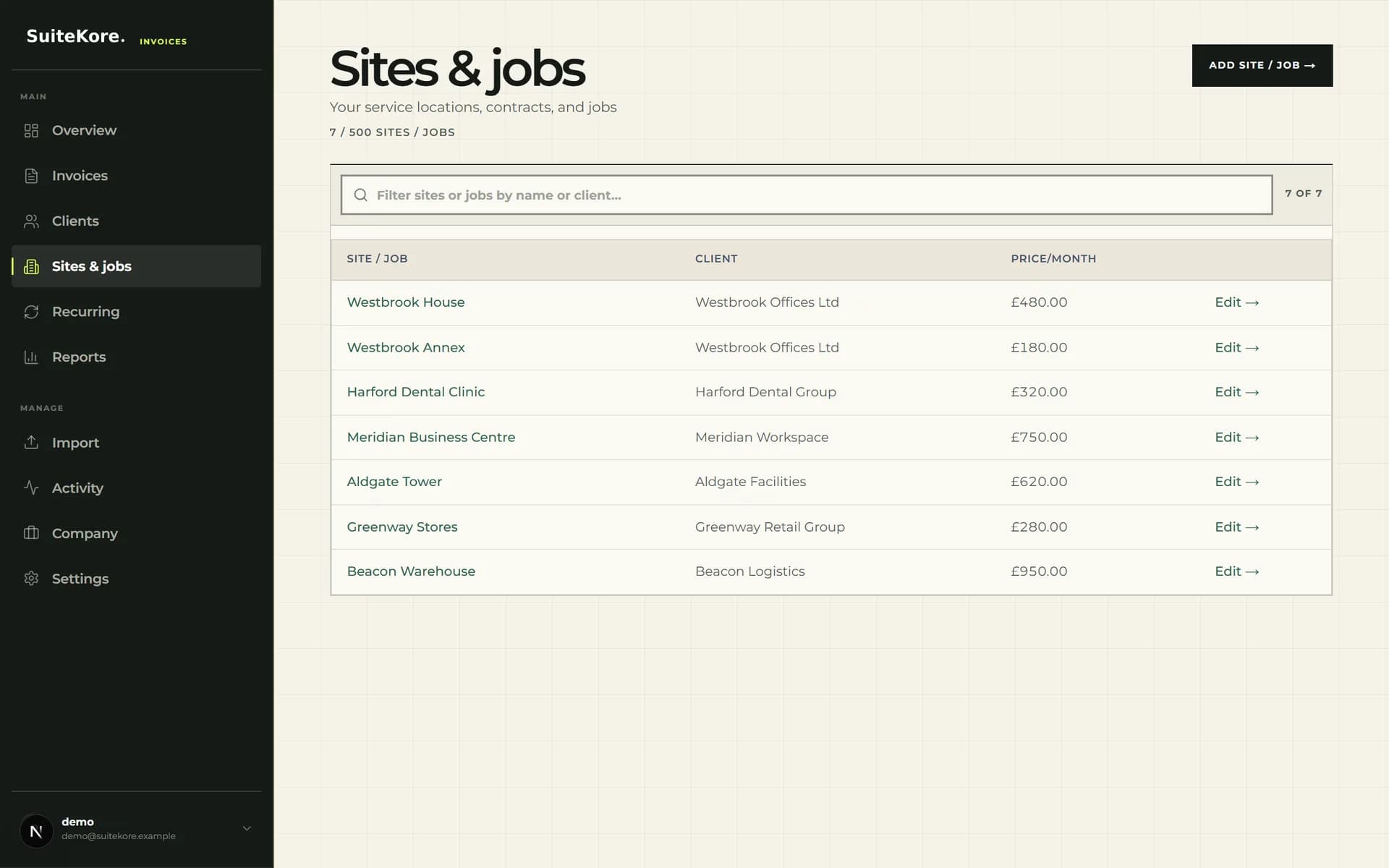
Suitekore stores service locations or jobs with a linked client, a billing contact, notes and a recurring amount. That structure suits a window cleaning round because one client often holds several premises, and each premises can carry its own access arrangements, frequency and price. A managing agent with eleven buildings should be one client with eleven site records, not eleven loose invoices.
- Name each site by address so the invoice line is unambiguous.
- Keep the billing contact separate from the on-site contact.
- Use notes for access details such as keys, alarm codes or pole reach limits.
Put repeat cleans on a recurring schedule
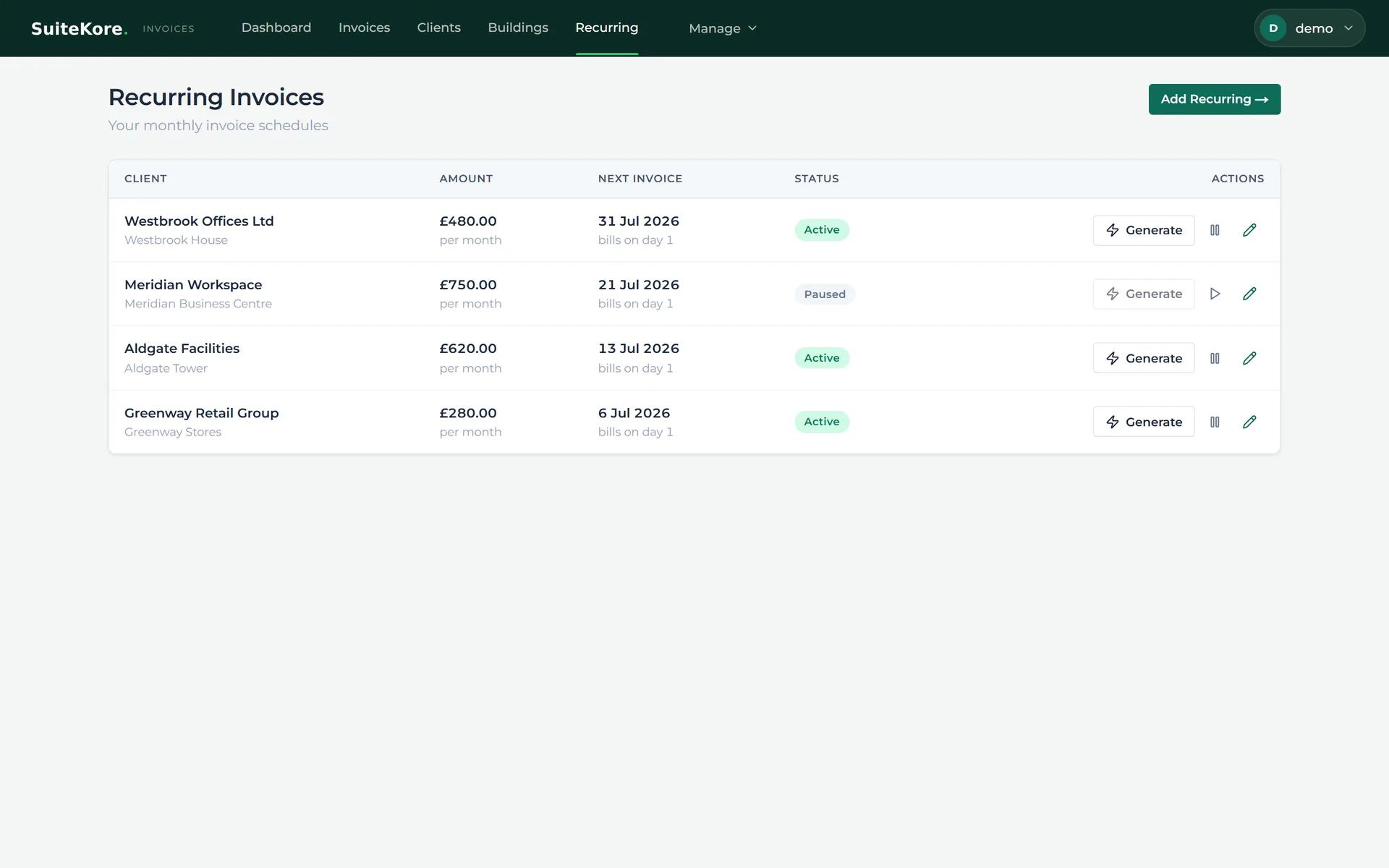
A recurring schedule retains the client, the amount, the next invoice date, the delivery choice and whether the schedule is active or paused. That turns the monthly round into a short routine: check which schedules are due, generate the invoices, review them, then send. Pausing a schedule is useful when premises close for a holiday period or a customer suspends visits over winter, because the agreed price and history stay intact for the restart.
The guide to setting up recurring payments for small businesses covers the wider options, including where a recurring invoice fits alongside collection methods.
Bill extra work without disturbing the round
Most window cleaning businesses also sell work that sits outside the round: conservatory roofs, gutter clearing, sign and fascia cleaning, builders' cleans after a fit-out, or an extra visit after storm damage. Bill these as separate invoices, or as clearly separate line items, so the recurring price stays recognisable to the client and to you. A merged total invites questions, and questions delay payment.
For a quick one-off document you can also use the free Suitekore invoice generator. Whichever route you use, check the document against what a UK invoice needs to include before it goes out.
Send, remind and record payment in one place
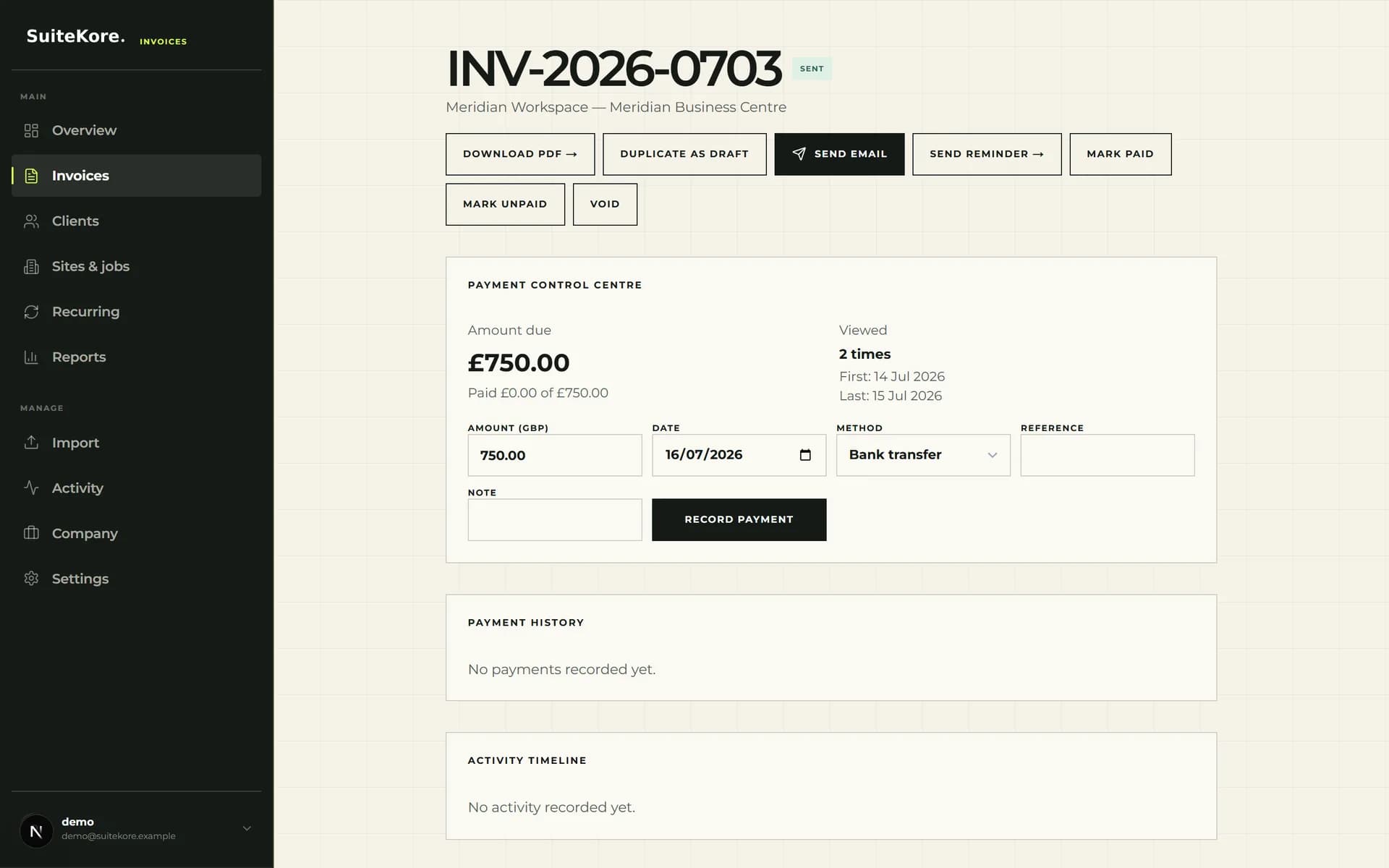
The invoice detail screen brings PDF download, email sending, reminders, payment status and payment history together. That matters more in window cleaning than in trades with fewer, larger invoices, because a £45 balance is easy to leave unchased and easy to forget entirely. Stripe Connect payments are available for businesses that connect an account, which removes a step for customers who prefer to pay by card.
Treat reminders as a scheduled routine rather than an occasional reaction. The practical guide to late payment of invoices sets out terms, follow-up timing and payment recording in order.
Review weekly and choose a plan that fits the round
The dashboard shows outstanding, overdue, paid and draft totals along with invoices needing attention. Review it at the same time each week and turn it into a short action list: unsent drafts, overdue balances, payments to record. Across a large round this is the difference between knowing your position and guessing it.
Plan limits differ by clients, sites or jobs, team members and monthly Smart drafts, so check the current Suitekore plan comparison against your actual site count rather than your customer count. The invoice software for service industries page shows how the same repeat-billing model applies across neighbouring trades. Test it with three real examples: a four-weekly shopfront, a monthly commercial contract and one extra job.